
Alerts & Notifications
You don't need more alerts.
You need to trust the ones you get.
Alerts built to be worth reading: you define what matters, on your own KPIs, and Pani tells you the moment it moves.
How it works
Say what matters. Find out when it moves.
Notifications are only as useful as the alerts behind them. Pani builds each one on an alert you set on your own KPIs and tune to stay trustworthy. So what reaches your feed is already worth acting on, not another reading to chase down.
Alert types
Multiple ways to find out something changed
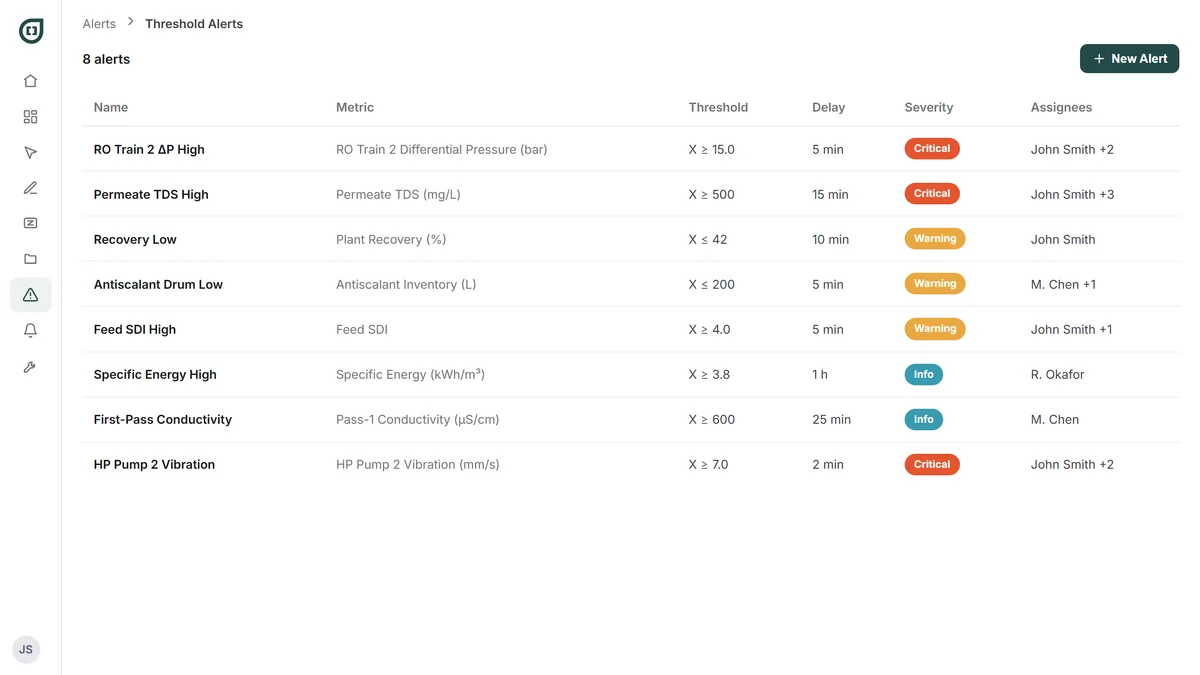
Thresholds catch what you knew to watch for. Trend Forecasts catch what you didn't: a crossing that's coming.
Thresholds
Pick any sensor or any KPI, set your limits, choose the severity, name who gets it, and write what you want the operator to do about it.
Trend forecast alerts
Fires when Pani projects a crossing, while the value is still perfectly normal. The notification names the parameter, how far it has to go, and roughly how long you have.
Late data
A sensor stops reporting, or nobody fills in a form. Your dashboards keep showing the last value they got, and Zed keeps answering from it. Pani flags the gap as soon as the reading is overdue.
Alert fatigue
Tune out the false alarms
Alert fatigue isn't a discipline problem, it's a design problem. These four controls decide whether your team is still reading the alerts in month six.
Delay triggers
An alert only fires if the threshold is breached continuously for a duration you set. Most false positives are transients. This kills them.
Noise filtering
For sensors that spike for a single reading and settle. Use this for signals that are noisy all the time, and the delay trigger for events you can predict, like a CIP or a startup. Run both if you need to.
Severity routing
Critical goes to email and text immediately. Warning and info wait in the platform. Pani recommends starting with text for critical only, so people away from a desk only get one when it's serious.
Frequency caps, per person
One email per eight hours per alert type, if that's what you want. Or never, in which case the notification stays in the feed and out of your inbox.
Notifications
Work every notification from one feed
All three kinds land in the same feed, and each one arrives with enough in it to act on.
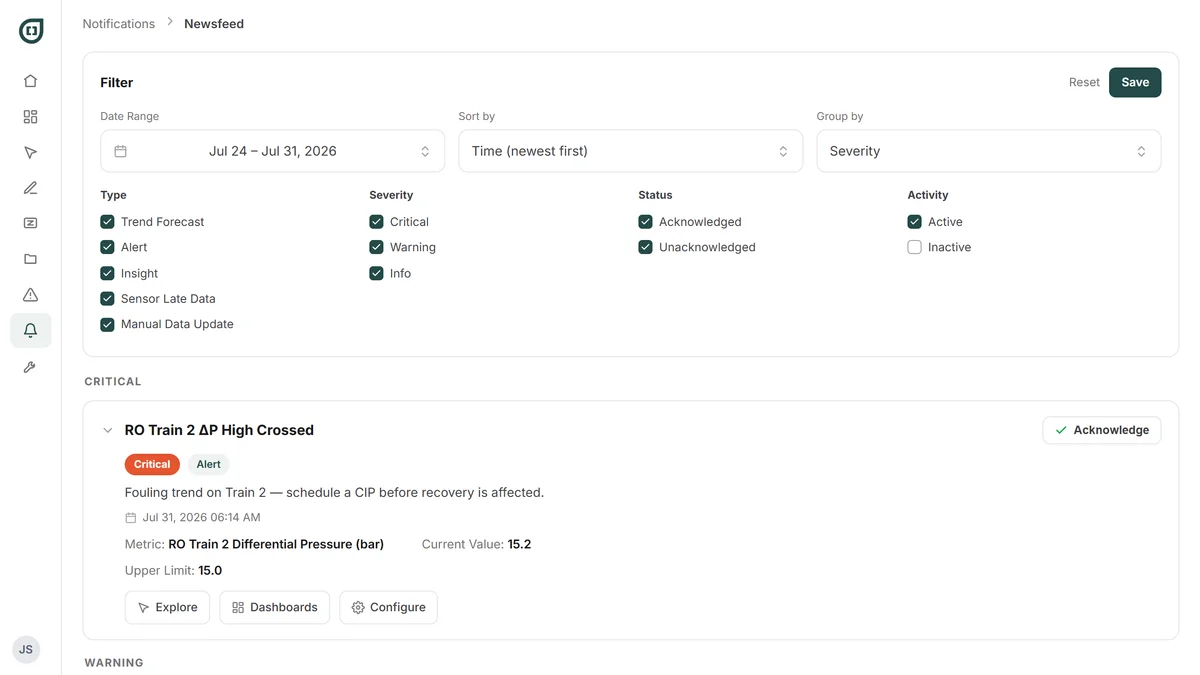
The action is in the notification
The recommended action you wrote when you built the alert is inside it. So is the procedure summary, if you linked one, with the full SOP one click away. Nobody goes hunting for the binder at 3 a.m.
Two clicks from the live data
A notification shows what the value was when it fired. Every one links into Dashboards or Explore, so you can go and see what it's doing now.
You can see who has looked
Acknowledging records that someone has seen it. It doesn't fix the condition, and it isn't meant to. It tells you whether anyone has picked it up.
Narrow it to what you need
By date, type, severity, or whether it's been acknowledged. Save the filter you use most and it becomes your default view.
One setting, worked through
The CIP that cried wolf
A worked example of the single setting that does the most to keep an alert trustworthy.
The alert that cried wolf
Your membrane CIP takes twenty minutes. Flow reverses, conductivity goes out of spec, and every single time the alert emails the whole list. After a month, nobody reads it.
Set a twenty-five minute delay
CIP finishes in twenty: silence. Still out of spec at twenty-five: that's real, and now you want to know.
The five minutes are the point
They catch the cleans that run long, which are exactly the ones worth hearing about.

By the time an ordinary alarm goes off, the problem has already arrived. Pani watches the signals that precede them and reaches you while the numbers still look fine, when there's time to fix it instead of report it.
Pani Enterprise
Interested in Alerts & Notifications?
Alerts and Notifications are Pani Enterprise. On Core, Zed Jobs deliver their results to you by email on the schedule you set. Threshold alerting, the notifications feed, and text and WhatsApp delivery are Enterprise.
Compare plansMake every alert worth reading
See how Pani decides what's worth interrupting your team for.