
Data & Integrations
All your plant's data,
unified from every source.
Pani makes it easy to bring in data from any source, from SCADA and historians to spreadsheets you drop in, all unified.
Data Forms
Where your plant's readings live
Data Forms are the digital version of the sheet on the clipboard. Underneath them, four ways to bring in everything else you've got.
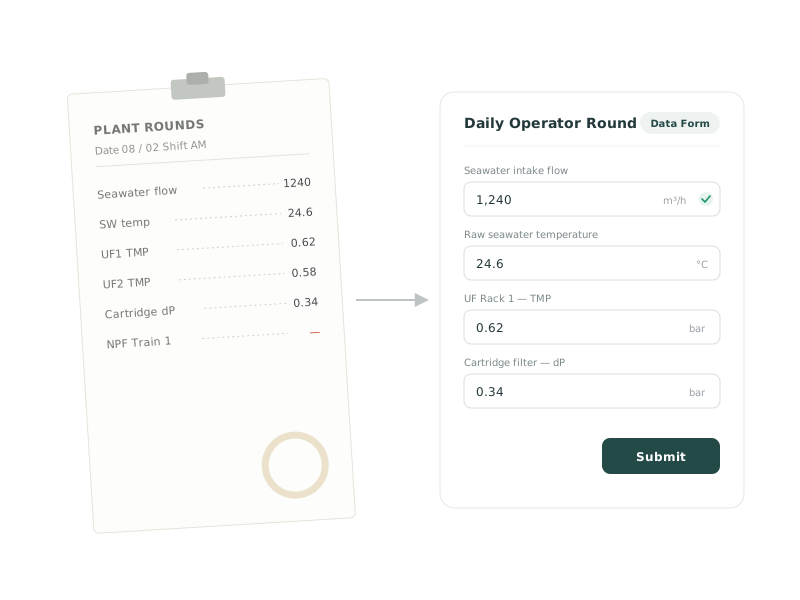
Digital rounds
Built for someone standing at a pump
A reading entered at the asset is worth more than one entered at a desk an hour later. These four things are why an operator will actually use it on the round.
Forms that fit the round
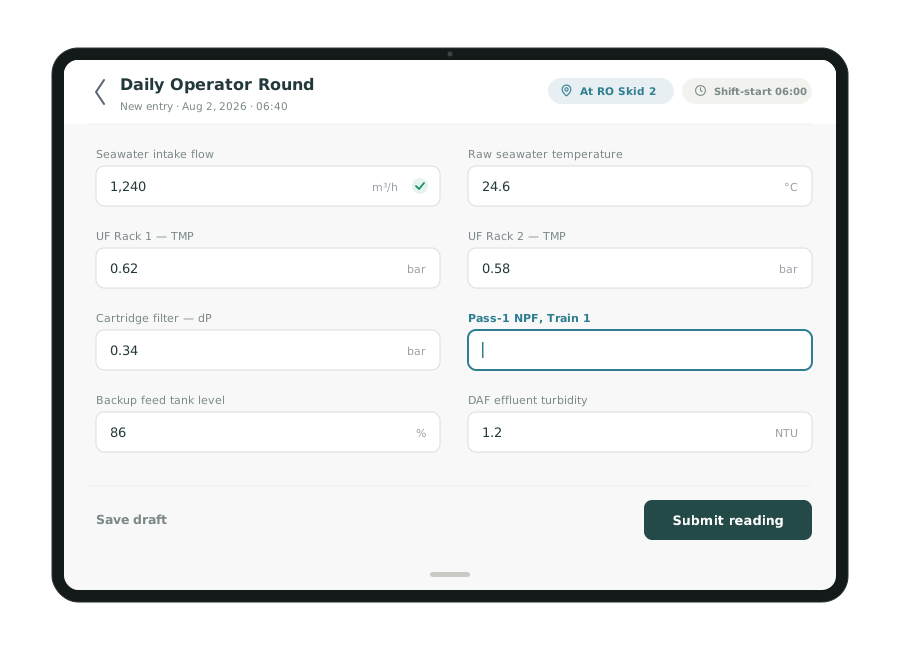
Numbers, text, dropdowns. Validation as they type.
Shift-aware timestamps
Entries can stamp to the start of the operator's shift, not the moment they got round to typing it.
Location captured automatically
GPS on the entry, so you know the reading was taken where it was supposed to be taken.
Only the forms they need
Curate which forms show on mobile. Your operator on rounds sees their four, not all thirteen.
Data quality
A bad number doesn't stay in one place
A wrong number entered once flows into your KPIs, your alerts and every answer Zed gives you afterward. So Pani checks it as it's typed: a value far outside what your plant's history says is plausible gets flagged instead of quietly accepted. Gallons typed into a liters field. A digit transposed off a paper log at the end of a long shift.

Pani reads from your SCADA. It never writes back. No setpoint changes, no commands, no path from the platform into your control system.
Zed does the data wrangling
Send a spreadsheet. That's the setup.
Most plants already export something. Rather than asking you to match a format, Zed reads what you send and works out the mapping itself.
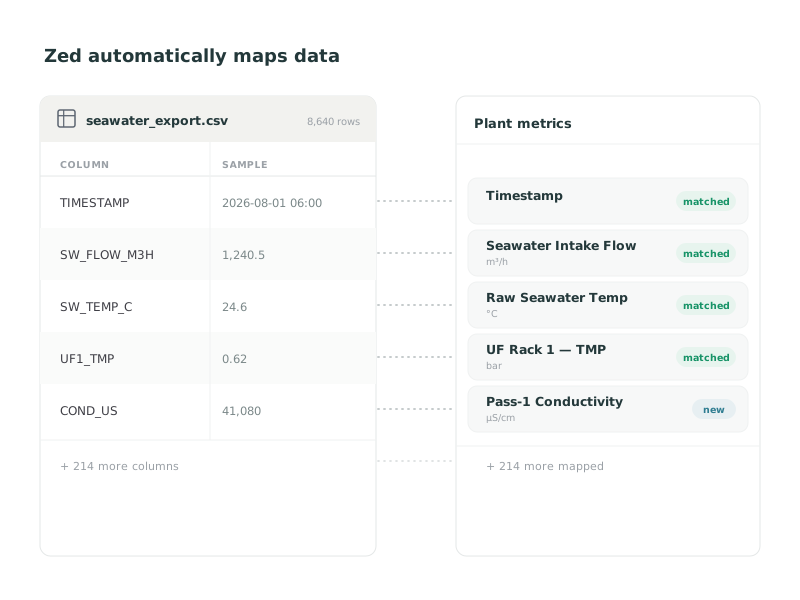
Email a sample CSV
Whatever your system already exports. No format to match first.
Zed reads it
It works out what each column is and what units it's in, then proposes the mapping to your plant's metrics. Thirty to sixty seconds.
You approve the mapping
It separates what's new from what already exists, flags what won't parse, and lets you skip columns you don't want.
It runs from then on
Any CSV from an approved sender with the right subject line gets ingested automatically. About thirty minutes to set up, once.
Integrations
Four ways in, for everything that isn't a form
Most plants have data in more than one shape: a historian streaming live, a lab system exporting overnight, a partner emailing a spreadsheet once a week. All of it can land in the same place.
Email upload
Send batches as CSV, on whatever schedule suits you.
MQTT
Live streaming from your control system.
REST API
Push data in from anything that can make a request.
Weather
Local conditions on your timeline, free.
The round, before and after
The same round, entered once
Today
The operator walks the round with a clipboard, returns to the desk, and types it into a spreadsheet. A transposed digit may not surface for a week, if at all.
In Pani
The reading is entered once, at the asset, on a tablet. Geo-stamped, shift-stamped, validated as it's typed and flagged if it's implausible. It's in your KPIs before the operator is back inside.
"We'd have to upgrade our instrumentation first"
No, you wouldn't
Most tools ask you to modernize your SCADA and instrumentation before you see any value. That's a capital project standing between you and finding out whether this works.
Any instrumentation level
Pani onboards plants from fully manual to full SCADA. Value doesn't wait on infrastructure.
Telemetry when it suits you
Connect live data later, and add instrumentation only where it pays for itself.
It sits on what you have
Already running something like Hach WIMS? Pani sits on top of it. Nothing to replace or modify.
Pani Core · Pani Enterprise
The difference is who does the work
Data Forms, Data Import and Data Integrations are in both tiers. On Core you build your forms and connect your data yourself. On Enterprise Pani builds the forms with you and brings your telemetry online, including the parts that need our help at the broker end.
Compare plansStart with what you already have
Whatever shape your data is in today, that's the starting point.